
See the plan and the usage of your workspace
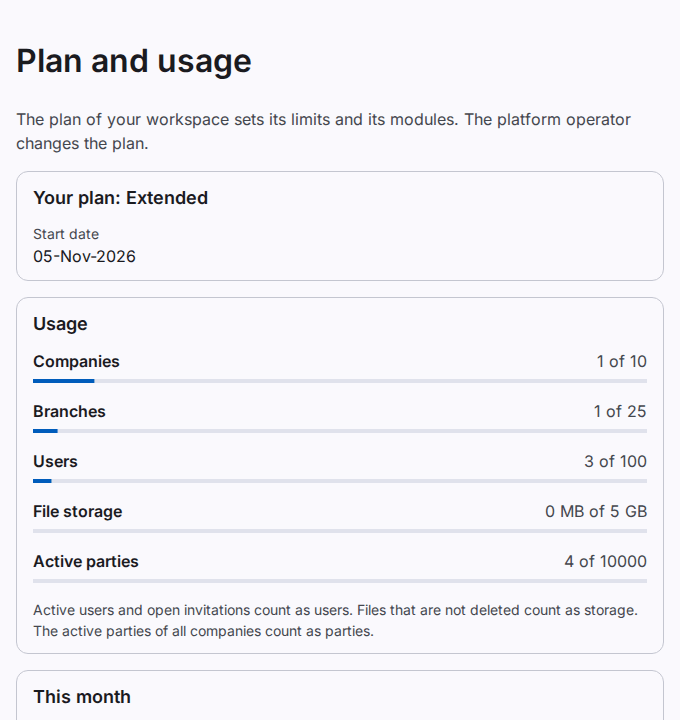
The Plan and usage page shows the plan of your workspace, its limits, the usage of each limit, the monthly quota and the modules of the plan. Only a workspace administrator can open this page. The Taraazu platform operator changes the plan.
Open the page
- Select Plan and usage.
The limits
- Companies: the companies that are not deactivated.
- Branches: the branches that are not deactivated, in all companies.
- Users: the active users and the open invitations.
- File storage: the size of all files that are not deleted.
- Active parties: the parties that are not deactivated, in all companies. A party in two companies counts two times. Parties from an import count too.
The bar of a limit turns red at 80 %. The workspace administrators get a notice at 80 % and at 100 % of a limit.
When a limit is full
When a limit is full, you cannot add more of that item. For example, you cannot invite a user when the user limit is full. The items that exist stay, and the work goes on.
To get a place free:
- Deactivate a company, a branch, a user or a party that you do not need.
- Cancel an open invitation that is not necessary.
- Contact the Taraazu platform operator for a larger plan.
The monthly quota
The card This month shows the Posted accounting documents of this month and the quota of your plan. A journal voucher, a receipt, a payment, a transfer and a set-off count when a user or the automatic posting posts them.
These postings do not count:
- a correction of a posted document;
- a reversal;
- the opening balances;
- an import;
- the automatic netting of a party;
- the year-end close.
The count starts again on the 1st of each month at 00:00, in the time zone of the workspace. The workspace administrators get a notice at 80 % and at 100 % of the quota.
When the quota of the month is used, Post stops with a message. The draft stays saved. Post it on the 1st of the next month, or ask for a larger plan. The automatic posting shows the draft on the page Posting exceptions.
Note: Reading, reports, prints and the data export never have a limit. You can always read your records.
The modules
The modules (for example accounts, stock and sales) come with later releases. The page shows which modules your plan includes.