
Set the logo and the header of prints
The report profile sets what prints on the reports and documents of a company: the logo, the name, the header lines, the footer text and the signature boxes. Each company has its own report profile. You must have the Edit company settings permission to see the page.
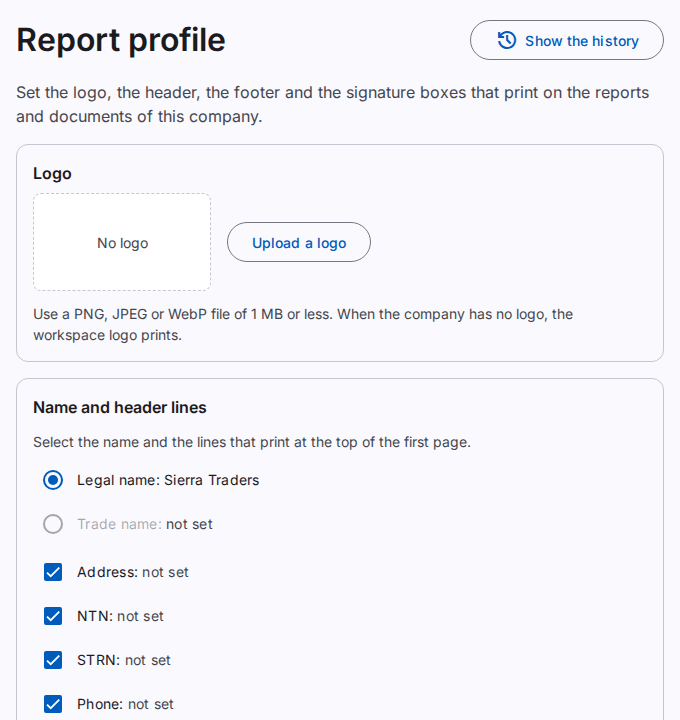
Add the logo of the company
- Select Upload a logo.
- Select a PNG, JPEG or WebP file of 1 MB or less.
The page shows the logo. The system makes the logo 512 × 512 pixels or smaller. When the company has no logo, the logo of the workspace prints. To use the workspace logo again, select Remove the logo.
Select the name and the header lines
The first page of a print shows the name of the company and the lines that you select.
- Under Name on prints, select the Legal name or the Trade name.
- Select the lines to print: Address, NTN, STRN, Phone.
- Select Save.
A line prints only when the company has a value for it. To change a value, select Change these values on the company page. Refer to Manage the companies.
Add a footer text
The footer text prints at the end of each report and document, for example a note about your terms.
- Type the text in English and in Urdu. Each text can have a maximum of 200 characters.
- Select Save.
When you type the text in one language only, the prints in the two languages show that text.
Add signature boxes
Signature boxes print at the end of documents, for example a journal voucher. Each box is a line with a label below it, for example "Prepared by".
- Select Add a box.
- Type the label in English and in Urdu.
- Do steps 1 and 2 again for each box. You can add up to 4 boxes.
- Select Save.
To remove a box, select the delete icon next to it. Then select Save.
Print a sample
The sample shows the saved profile on a short report with example figures. Each page of the sample shows the mark "SAMPLE".
- Select the Language, the Paper size and the Layout.
- Select Print a sample.
The sample opens in a new tab. Full print uses standard spacing. Paper saving uses less space between the rows and a short header. The font size is the same in the two layouts.
Note: the sample uses the saved profile. Save your changes before you print a sample.
The history of the report profile
Select Show the history to see who changed the profile and when. Refer to See the business history.