
Manage cash and bank accounts
The Cash and bank accounts page shows the accounts of type cash and bank of the company, with the balance today. Receipts, payments and transfers use these accounts.
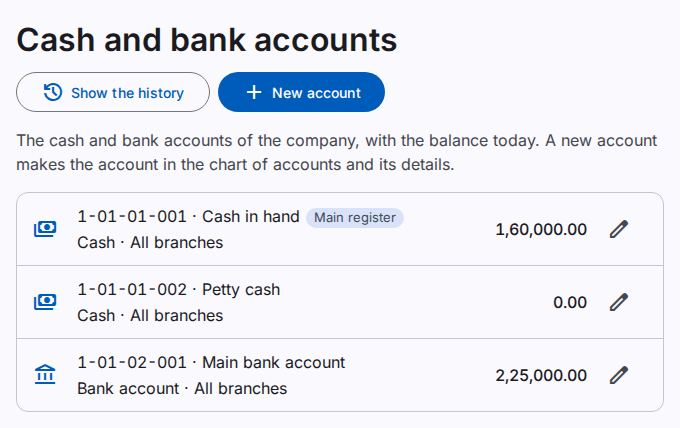
You must have the Manage cash and bank accounts permission.
Add an account
- Select New account.
- Select the Group in the chart (for example, Bank accounts).
- Type the Name. Leave the Code empty to get the next free code.
- Select the Kind: cash, bank account or mobile wallet.
- For a bank account, type the bank, the bank branch, the account title, the account number and the IBAN. These fields are optional.
- Select Save.
The product adds the account to the chart of accounts.
Change the details
- Select the edit icon at the end of the row.
- Change the details. Select Save.
To change the code or the name, use the chart of accounts.
Accounts of a branch
Select a Branch to keep an account for one branch. A document of another branch cannot use the account. An account without a branch is for all branches.